Quantities and shelves
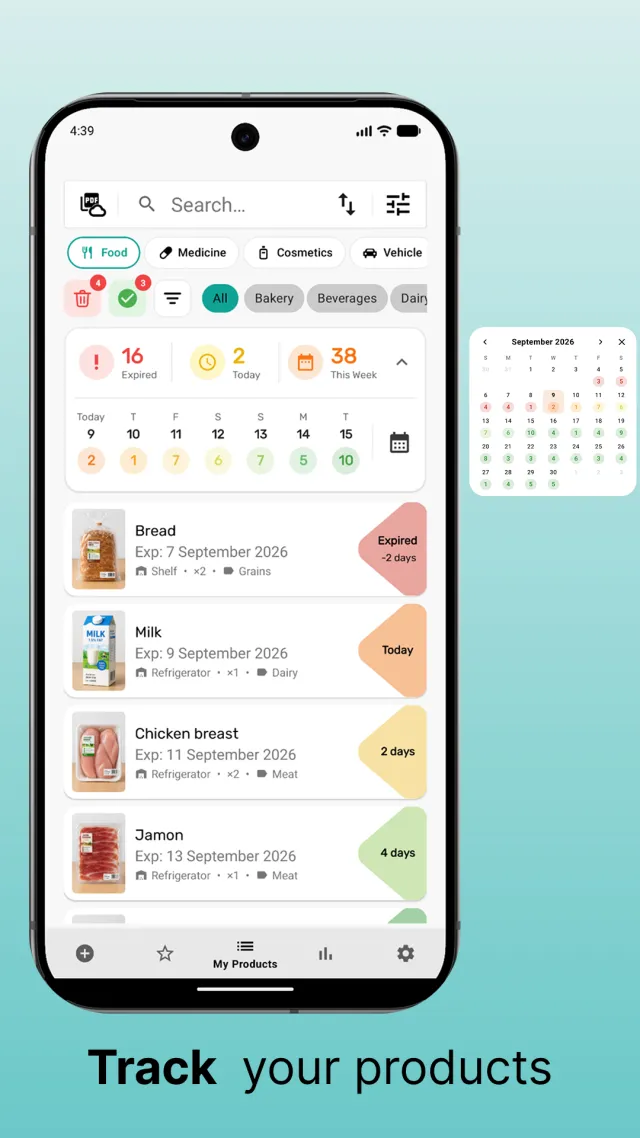
Every item has a quantity and a storage place. Sell or use part of it and the count goes down; the rest stays tracked.
Stock that expires on the shelf is money lost — and in a pharmacy, a real risk. Xpiry gives small shops, pharmacies and stock rooms simple expiration date tracking for inventory on an Android phone: quantities, shelves and dates in one list, with reminders before stock goes out of date.
There is no single method. Most shops use a mix of these:
Xpiry is in that last group. It is not a replacement for a POS or a regulated pharmacy system, but it is a good replacement for the paper register — and it makes FEFO easy, because the list is always sorted by what expires first.
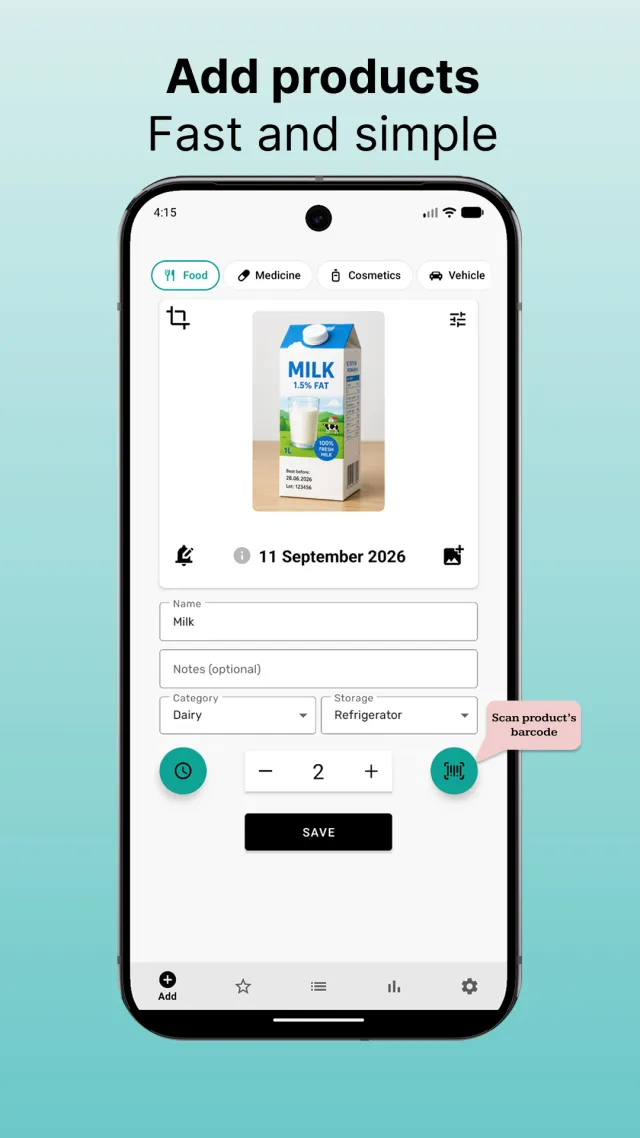
Import your existing list from CSV or Excel (.xlsx), or add items one by one — scan the barcode, set the quantity, type or pick the printed date.
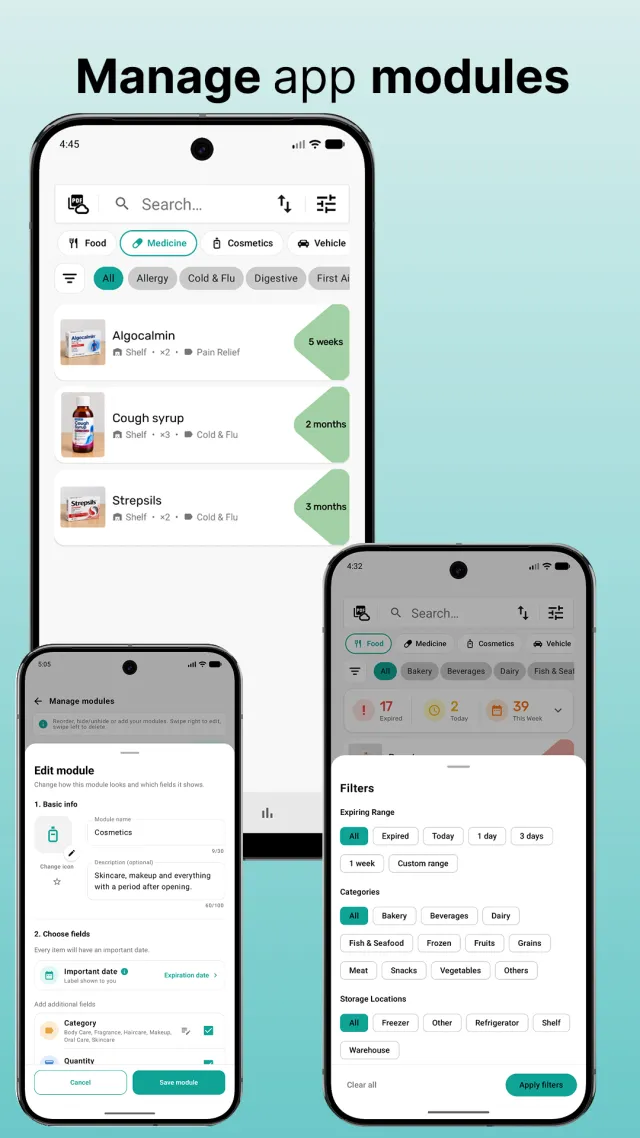
Create storage places that match the shop — Shelf 3, Fridge, Stock room, Warehouse — and categories that match your ranges.
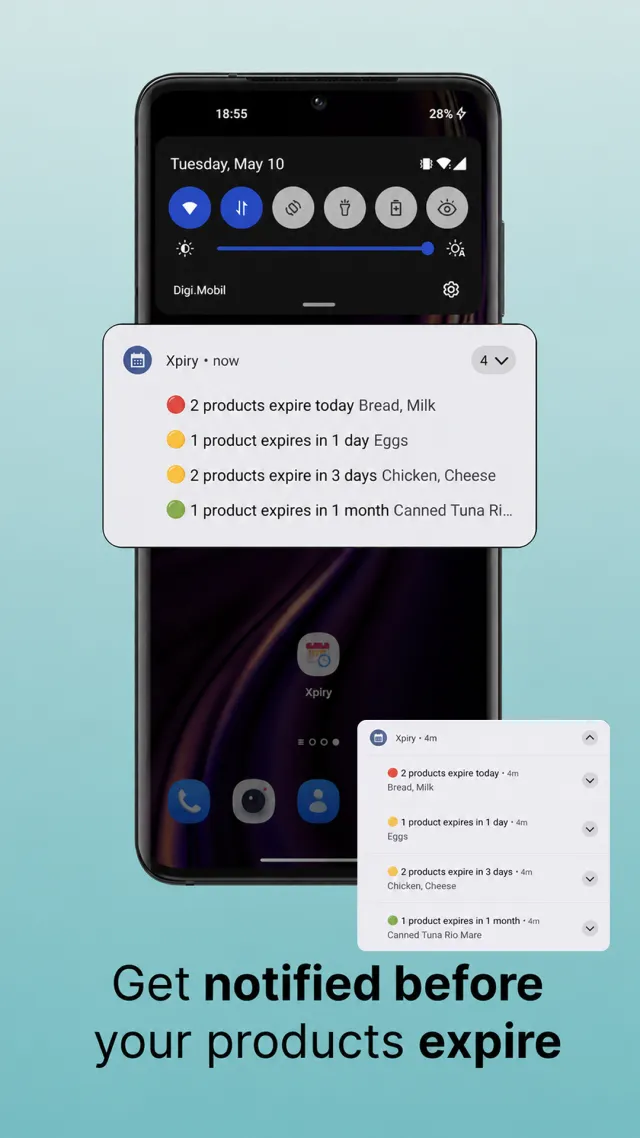
Reminders from a day to three months ahead, or your own period, give you time to discount, return or move stock before it becomes a loss.
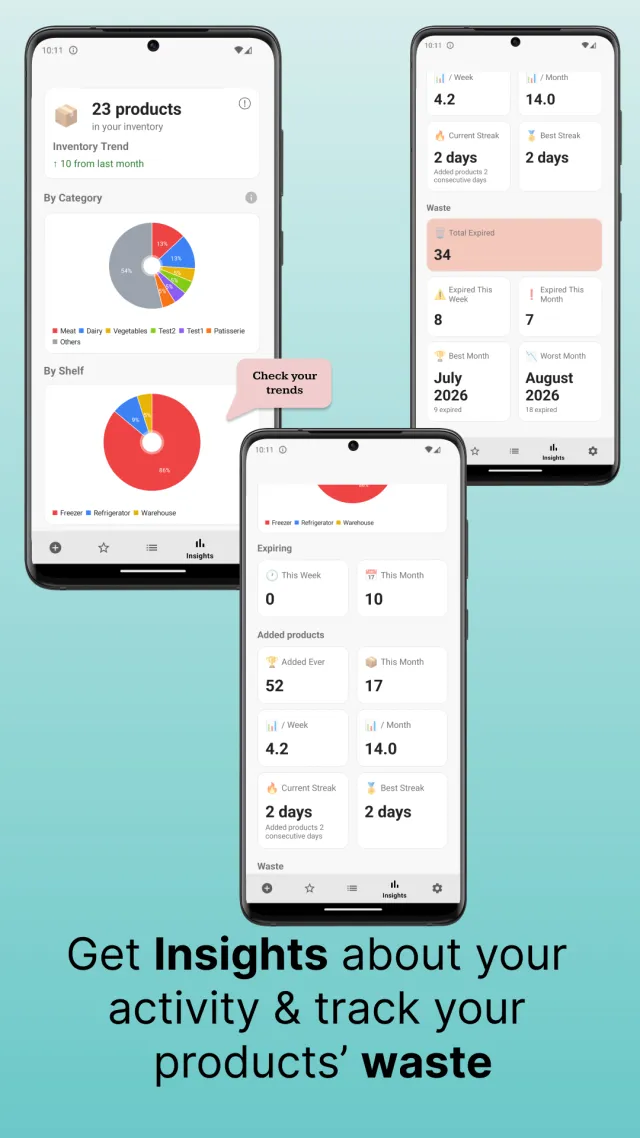
Generate a PDF inventory report, export to CSV or Excel, and check insights by category, by shelf and by what expired.
Every item has a quantity and a storage place. Sell or use part of it and the count goes down; the rest stays tracked.
Show only what has expired, what expires today, in 3 days, in a week, or in a custom range — then filter by category or shelf.
Import and export products as CSV or Excel (.xlsx). The PDF inventory report follows the sorting you are using, ready to print or send.
The medicine module adds dosage or strength and form (tablet, syrup, drops, cream…) to each product, on top of date, quantity and shelf.
Insights show inventory by category and by shelf, how much expired, and the best and worst months.
Optional backup to your own Google Drive, so a lost or broken phone does not mean a lost stock list.
Not as a shared live list. Xpiry keeps its data on one phone and there is no real-time sync between devices. You can export to CSV or Excel, or back up to Google Drive and restore on another phone, but changes made on two phones are not merged.
Add each delivery as its own entry with its own date and quantity. The Copy button on a product saves retyping — duplicate it and change the date.
Yes. Xpiry imports products from CSV and Excel (.xlsx) files, and exports to the same formats so your data is never locked in.
No. Scanning identifies the product; you type or pick the printed date once. Most retail barcodes do not contain a date at all — our barcode guide explains why.
No. It does not verify medicine packs or connect to any national medicines verification system. It is a stock and reminder tool that sits alongside whatever your pharmacy is required to use.
UPC, EAN, GS1 DataMatrix and what (17) means.
Read the guide →Dosage, form and early reminders for medicines and supplements.
Medicine expiry tracker →Fridge, freezer and pantry tracking with opened-on timers.
Food expiration tracker →Modules, backup, import and export — everything the app does.
Expiry date tracker overview →Xpiry is free on Google Play. Import your stock list or scan the first shelf today.